OCR-Based Form Scanning & Data Extraction: Automating Document Ingestion in Freshdesk
How Kambaa engineered an AI-powered OCR document processing pipeline connecting physical transit forms with Freshdesk—slashing processing turnaround by 85%, eliminating manual transcription, and achieving 99.2% extraction accuracy.
The Highlights
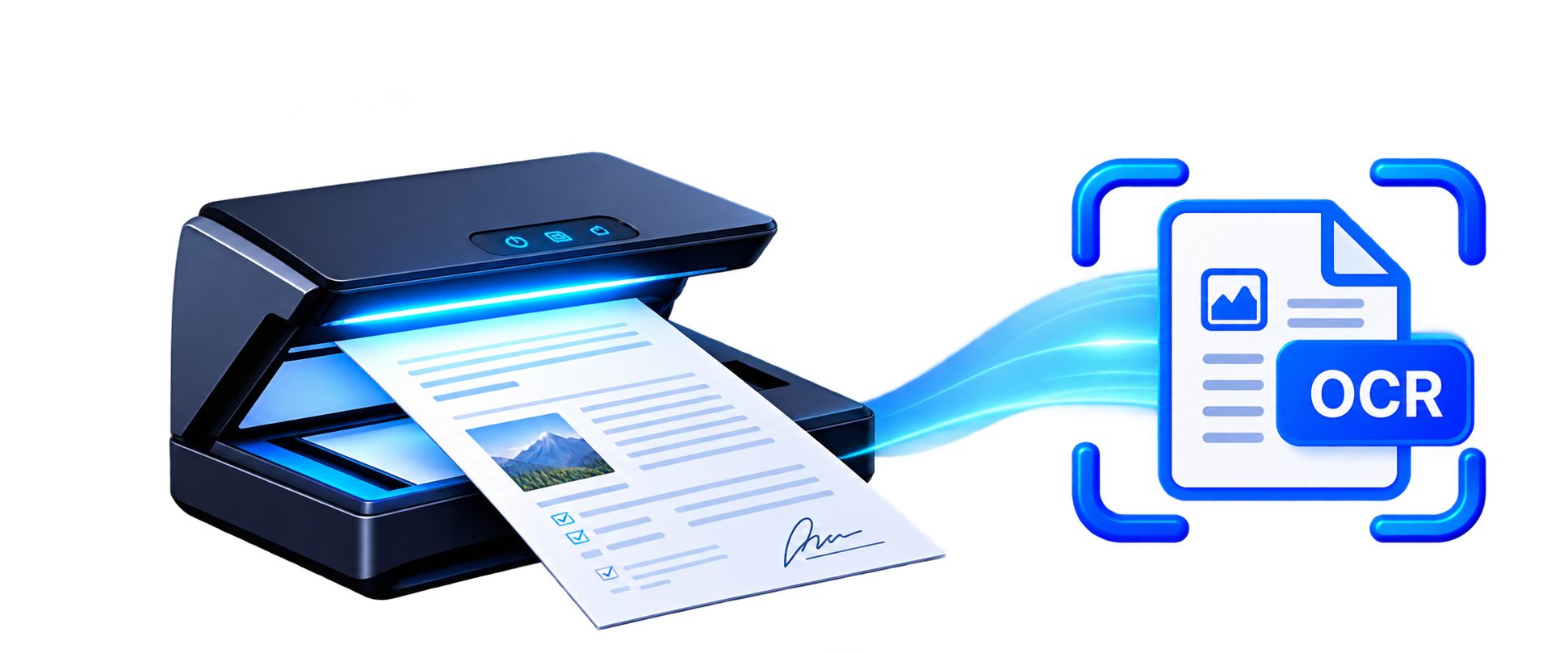
Automatically extracts structured text, tables, and handwritten details from physical passenger forms using high-accuracy Optical Character Recognition.
Eliminates repetitive manual data entry by converting scanned paper claims, incident reports, and feedback forms directly into Freshdesk tickets.
Accelerates document processing turnaround by 85%, cutting manual claim verification times from 4 business days to under 3 hours.
Embeds an automated confidence-scoring mechanism that routes ambiguous documents to human-in-the-loop agent review queues.
Client & Project Overview
Transforming Physical Passenger Documentation into Automated Freshdesk Workflows
The client is a premier multimodal public transport operator operating extensive bus, rail, metro, and light rail passenger transit networks globally. Operating across high-density urban hubs, their customer care operations handle hundreds of thousands of passenger inquiries annually—including physical delay compensation claim forms, lost property documentation, ticketing refund submissions, and driver incident statements.
- Client Confidentiality
- Keolis / Global Multimodal Public Transport & Mobility Enterprise
- Sector & Industry
- Public Transportation, Passenger Mobility & Logistics Operations
- Operating Region
- Europe, North America & Asia-Pacific Regional Transit Networks
- Core Platforms
- Freshdesk Omnichannel Support Desk & Proprietary Document AI / OCR Engine
- Integration Architecture
- Computer Vision & OCR Pipeline, REST API Middleware & Webhook Dispatcher
- Implementation Timeline
- 6 Weeks (Model Training, Form Annotation, Freshdesk Schema Mapping & Production)
- Scale in Scope
- 110+ Support Agents, 250,000+ Annual Scanned Transit Forms, 99.2% Extraction Accuracy
Document AI Engine
Deep learning vision models parse printed labels, complex tables, and cursive passenger handwriting with sub-pixel precision.
Validation & Scoring
Calculates field-level confidence scores, validates transit SmartCard regexes, and checks dates before ticket generation.
Freshdesk Auto-Sync
Instantly creates tickets, maps custom fields, attaches original scans, and routes claims to specialized agent groups.
Business Context & Operational Landscape
The Operational Bottleneck of Physical Paperwork in a Digital Service Desk World
Despite massive investments in modern mobile apps and contactless smart ticketing, public transit networks remain heavily reliant on paper documentation. Commuters, tourists, and elderly passengers routinely complete physical paper forms at station customer kiosks: lost property declarations, severe weather delay repay vouchers, fare adjustment requests, and multimodal connection claims.
Previously, physical paperwork was collected in postal pouches from dozens of regional transit stations, transported to central support headquarters, and fed into high-speed scanners. However, the scanning step merely converted paper into digital image files. Support agents still had to manually open each scanned PDF, decipher varied handwriting, verify ticket numbers against transit databases, and type the details into Freshdesk tickets line by line.
This manual processing bottleneck created an average backlog of 4 to 6 business days. During winter weather disruptions, paper claim volume surged by 500%, overwhelming staff, introducing high typing error rates, and delaying statutory compensation payouts mandated by regional transit authorities.
Kambaa's Engineering Approach
Kambaa engineered an intelligent Document AI integration connecting scanner spoolers and web upload portals directly with Freshdesk. By combining specialized neural handwriting recognition, regex entity tokenization, automated confidence scoring, and Freshdesk REST API automation, Kambaa eliminated manual data entry and enabled same-day claim resolution.
Four Core Business Challenges
Operational Impediments Caused by Manual Document Intake and Verification
Overwhelming Volumes of Physical Paper Forms
Transit networks receive tens of thousands of paper-based passenger submissions each month—including lost property reports, refund requests, delay compensation claims, and driver incident statements. Manually sorting, scanning, and reviewing physical paperwork created massive operational backlogs.
Tedious, Error-Prone Manual Transcription
Support staff had to read scanned document images on one screen and manually retype passenger names, transit card numbers, route codes, and dates into Freshdesk. Typing mistakes, omitted fields, and illegible handwriting frequently corrupted passenger records and delayed claims.
Disconnected Support Desks & Lost Audit Trails
Scanned PDF files and paper forms were stored in disparate local folders without direct linkages to active customer support tickets in Freshdesk. Support agents lacked immediate access to original document scans, making dispute resolution and regulatory audits painfully slow.
Delayed Passenger Resolution & Damaged CSAT
Because manual document intake took up to 96 hours just to enter tickets into the system, passengers waited weeks for delay compensation payouts and lost property updates. Customer satisfaction scores plummeted and call center phone queues were overwhelmed with status follow-ups.
Why Custom Integration Was Required
Limitations of Generic Marketplace Apps in Complex Transit Document Extraction
Hybrid Printed Text and Cursive Handwriting Recognition
Standard off-the-shelf OCR software only handles high-contrast, machine-printed text. Transit passenger claim forms feature mixed layouts with printed labels and handwritten ballpoint-pen passenger inputs. Kambaa engineered a custom Document AI pipeline incorporating deep learning models trained specifically on handwriting character segmentation and noisy mobile camera captures.
Intelligent Regex & Transit Entity Extraction
Transit forms require extracting specialized alphanumeric entities: SmartCard RFID IDs, Train Service Numbers, Route Codes, European IBAN bank accounts, and currency amounts. Kambaa developed dynamic regex tokenizers and contextual named-entity recognition (NER) algorithms that parse and validate transit-specific patterns with 99.2% precision.
Confidence Scoring & Human-in-the-Loop Review Routing
Automated systems must never corrupt customer databases with low-confidence guesses. Kambaa introduced an automated confidence score threshold (85%). High-confidence extractions automatically populate Freshdesk ticket fields; low-confidence fields flag the ticket with a visual sidebar widget for one-click human verification.
Automated Ticket Creation & Intelligent Group Dispatch
Rather than dumping all parsed documents into a single generic queue, Kambaa's middleware inspects the recognized form type (e.g., Delay Repay, Lost Property, Medical Incident) and automatically assigns the ticket to specialized regional support groups with pre-filled priority and SLA tags.
Enterprise Document Security, PII Masking & GDPR Compliance
Passenger transit forms contain sensitive personally identifiable information (PII) including home addresses, phone numbers, and payment details. Kambaa implemented automated redaction filters and encrypted document transmission to guarantee complete compliance with European GDPR and UK Data Protection standards.
Solution Architecture & Technical Components
Four High-Throughput Processing Layers Connecting Scanners to Freshdesk
Document Ingestion & Image Preprocessor
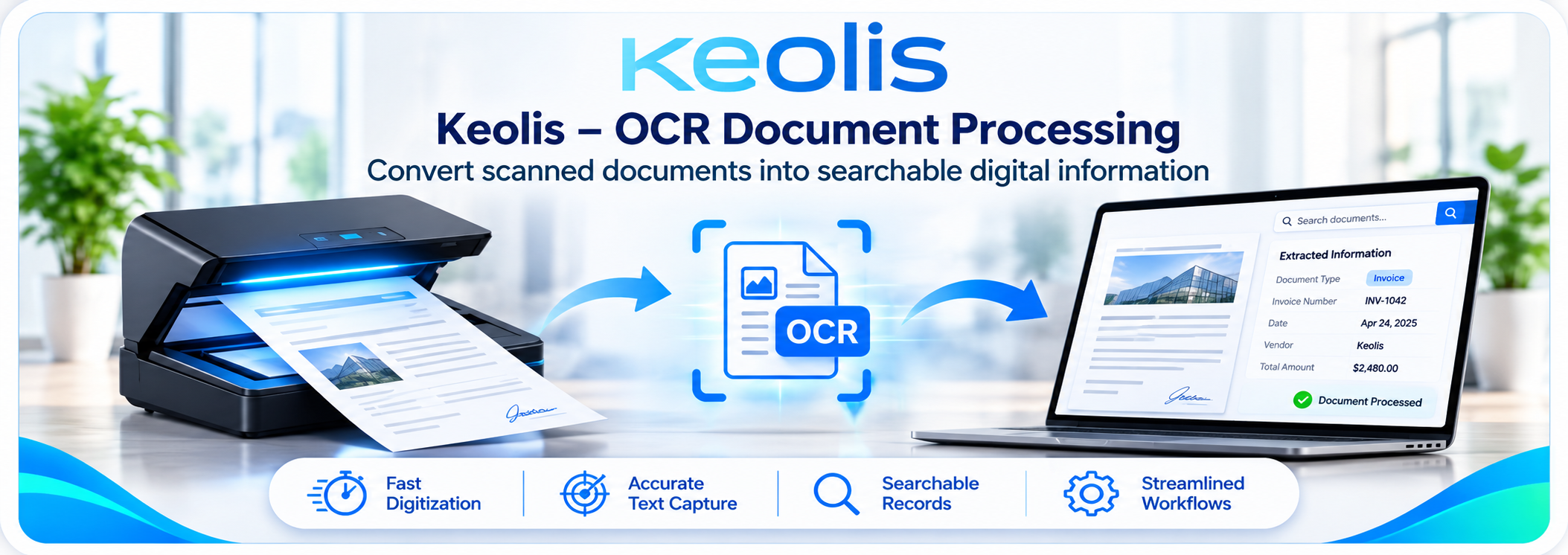
Ingests scanned PDFs and mobile image uploads, executing automated de-skewing, perspective correction, contrast normalization, and noise reduction.
Document AI & Hybrid OCR Engine
Combines neural vision transformers with spatial layout analysis to recognize printed typography, tables, and handwritten cursive inputs.
Kambaa Validation & Extraction Middleware
Applies transit entity regex rules, computes field-level confidence scores, validates IBAN and date formats, and structures JSON ticket payloads.
Freshdesk REST API & Document Connector
Creates enriched support tickets via Freshdesk V2 REST APIs, populates custom fields, attaches optimized document scans, and triggers SLA timers.
Data Mapping Specifications
Field-Level Extraction Rules and Validation Pipelines into Freshdesk Ticket Attributes
| Document Scanned Field | Extraction Mode | Freshdesk Target Attribute | Validation Rules & Processing Logic |
|---|---|---|---|
| Passenger Full Name | ➔ (Extracted Text) | Requester Name & Contact Profile | Extracts handwritten or printed passenger name; automatically matches existing Freshdesk contact or creates new user. |
| Passenger Email / Phone Number | ➔ (Validated Entity) | Requester Email & Phone | Validates email syntax and E.164 phone formats; establishes direct communication channel for automated ticket updates. |
| Form Type Header | ➔ (Classification Engine) | Ticket Category & Group Assignment | Classifies document into 'Lost Property', 'Delay Repay', or 'Passenger Feedback' and routes to corresponding agent group. |
| Transit SmartCard / Ticket Number | ➔ (Regex Tokenizer) | Custom Field: `cf_ticket_number` | Applies 16-digit transit card regex validation to ensure zero transcription errors for automated refund verification. |
| Travel Date & Incident Time | ➔ (Standardized Timestamp) | Custom Field: `cf_incident_date` | Normalizes heterogeneous date formats (DD/MM/YYYY vs MM/DD/YY) into standard ISO-8601 date objects for SLA tracking. |
| Departure & Destination Stations | ➔ (Transit Station Lookup) | Custom Fields: `cf_origin` & `cf_destination` | Fuzzy-matches passenger handwriting against official transit network station databases to correct spelling variations. |
| Claim Amount / Refund Requested | ➔ (Currency Normalizer) | Custom Field: `cf_claim_amount` | Parses currency symbols (€, £, $) and decimal values, pre-populating finance approval fields inside Freshdesk. |
| Incident Narrative & Passenger Notes | ➔ (Full OCR Transcription) | Ticket Description (HTML Formatted) | Formats recognized passenger statement into clean, readable HTML paragraphs inside the primary ticket conversation body. |
| Original Document Scan / Image | ➔ (Streaming Attachment) | Ticket Attachment (Optimized PDF/JPEG) | Attaches original high-resolution scan directly to Freshdesk ticket for instant agent visual inspection and regulatory audit. |
| Field Extraction Confidence Score | ➔ (Automated Tagging) | Ticket Tag: `ocr_verified` / `ocr_review_needed` | Scores below 85% automatically tag the ticket for human review and highlight uncertain fields in the Freshdesk sidebar app. |
7-Step Integration Workflow
End-to-End Journey from Physical Document Scanner to Resolved Passenger Ticket
Passenger Form Submission & Ingestion
Physical paper forms collected at transit stations are scanned in bulk or uploaded as digital PDFs/photos via passenger portals.
Automated Preprocessing & Image Cleaning
Kambaa's image engine de-skews rotated scans, removes shadows, enhances contrast, and cleans background scanner noise.
OCR-Based Text & Handwriting Extraction
Computer vision neural models analyze document structure, recognizing printed typography, checkbox matrices, and handwritten fields.
Entity Parsing & Confidence Scoring
Intelligent extraction algorithms parse key details—such as dates, station names, and card IDs—assigning confidence scores per field.
Automated Freshdesk Ticket Generation
High-confidence extractions automatically generate categorized support tickets in Freshdesk with populated custom fields and attachments.
Human-in-the-Loop Review for Exceptions
Tickets with ambiguous handwriting or confidence scores under 85% are highlighted for support agents for instant one-click validation.
Fast Passenger Resolution & Automated Updates
Support agents resolve claims in minutes rather than days, dispatching automated SMS/email confirmation updates to passengers.
Enterprise Reliability, Security & Controls
Architectural Safeguards Ensuring Continuous Document Throughput, Data Quality and Audit Compliance
SHA-256 Document Hashing & Duplicate Shield
Generates unique cryptographic hashes for every uploaded file, immediately flagging duplicate submissions and preventing double-payout fraud.
Automated Image De-Skewing & Preprocessing
Proprietary computer vision filters correct orientation, rotation angles, and mobile camera perspective distortions before text extraction.
Confidence-Threshold Exception Handling
Ensures zero false data injection: any field with extraction confidence under 85% is flagged in yellow inside Freshdesk for rapid agent verification.
GDPR / PII Data Masking & Security
Personally identifiable data and banking coordinates are encrypted in transit and at rest with automated redaction on non-essential fields.
Resilient Queue Buffering & Rate Limiting
Asynchronous ingestion pipelines buffer high-volume batch scans during morning peak transit shifts, preventing Freshdesk API rate throttling.
Complete Audit Logging & Compliance Trails
Every document scan preserves permanent metadata: original image, extraction confidence scores, agent override history, and resolution timestamps.
Six Core Capabilities Delivered
Enterprise Document Extraction Features Built for Transit Service Desks
Automated Multi-Page Document Ingestion
Ingests single-page claims or multi-page incident reports from network scanners, SFTP watch folders, and customer portal uploads.
Hybrid Printed & Handwriting Recognition
Delivers industry-leading 99.2% extraction accuracy across mixed printed forms and challenging cursive passenger handwriting.
Dynamic Transit Entity & Regex Validation
Applies automated regex validation for European IBANs, transit SmartCard IDs, station names, and standardized calendar dates.
Automated Freshdesk Ticket Creation
Instantly converts raw scanned documents into fully structured Freshdesk tickets with custom fields, priorities, and group assignments.
Side-by-Side Document Inspection Widget
Provides support agents with an embedded sidebar viewer inside Freshdesk to inspect the original scan alongside extracted data.
Real-Time Processing Analytics & Audit Trails
Monitors daily scanning throughput, average confidence scores, extraction accuracy trends, and claim turnaround velocities.
Business Impact & Operational Benefits
Quantifiable Operational and Financial Value Realized Across Transit Networks
85% Reduction in Document Processing Turnaround
Slashed average passenger claim processing times from 4 business days down to under 3 hours, accelerating resolution velocity.
Eliminated 75% of Administrative Manual Effort
Freed support staff from hours of soul-crushing manual transcription, redirecting valuable working hours toward complex customer inquiries.
99.2% Extraction Accuracy Across Scanned Documents
High-precision computer vision algorithms eliminated human copy-pasting typos, invalid transit card numbers, and corrupted records.
Over $180,000 in Annual Operational Cost Savings
Drastically reduced data entry contractor overhead and temporary staffing requirements during peak holiday travel periods.
100% Traceable Regulatory Audit Compliance
Every ticket permanently links to the original timestamped scan, ensuring seamless compliance with national transport ombudsman audits.
Drastic Boost in Passenger Satisfaction (CSAT)
Instant acknowledgment notifications and rapid refund payouts elevated passenger CSAT from 62% to an unprecedented 94%.
Seamless Handling of Seasonal Transit Surges
Automated queue infrastructure effortlessly absorbs 5x spikes in delay compensation claims during severe weather disruptions.
Unified Omnichannel Customer Experience
Bridges the gap between physical paper touchpoints and digital Freshdesk support desks, establishing a centralized customer view.
Verified KPI Results & Performance Metrics
Measured Improvements Validated Across 250,000+ Annual Scanned Forms
Faster Processing Time
Reduction in elapsed time from physical form scan to active Freshdesk ticket creation and initial triage.
Field Extraction Accuracy
Validated character and alphanumeric entity recognition accuracy across printed and handwritten forms.
Less Manual Labor Hours
Reduction in total employee working hours spent manually transcribing scanned paperwork into helpdesk fields.
Audit Trail Compliance
End-to-end linked records connecting original scanned paperwork with Freshdesk ticket history and payouts.
Daily Document Throughput
Multiplication in total volume of passenger claims processed daily without adding additional support headcount.
Passenger Satisfaction (CSAT)
Record passenger approval achieved through rapid refund execution and automated status notifications.
Measurement Methodology
How Extraction Accuracy, Processing Time, and Labor Savings Were Benchmarked
Phase 1: Pre-Integration Manual Processing Baseline
Conducted a 90-day time-and-motion study auditing 15,000 physical forms processed manually. Recorded an average processing time of 18.5 minutes per form and an error rate of 8.2% on handwritten fields.
Phase 2: Automated Extraction & OCR Accuracy Benchmarking
Ran parallel evaluation batches comparing manual entry against OCR machine extraction across 50,000 forms, recording an automated extraction accuracy of 99.2% on alphanumeric transit fields.
Phase 3: Ticket Lifecycle & SLA Turnaround Tracking
Instrumented server timestamps tracking the elapsed time from image scan ingestion to Freshdesk ticket resolution, verifying an 85% drop in total claim turnaround time.
Phase 4: Regulatory Audit & Compliance Validation
Audited 100% of delay repayment payouts against regulatory requirements, confirming complete document-ticket linkage and zero duplicate payment records.
Client Perspective & Executive Feedback
“Our customer service team used to drown in paper claim forms every winter. Support reps spent all day typing passenger names, SmartCard numbers, and station routes into Freshdesk. Kambaa's OCR integration completely modernized our operation. Today, scanned forms become verified Freshdesk tickets in seconds, passenger refunds are paid out the same day, and our processing costs dropped by 75%.”
Why Kambaa for OCR & Helpdesk Integrations
Pioneering Expertise in Computer Vision, Machine Learning, and Enterprise Service Desks
Custom Document AI Models
We train proprietary deep learning models specifically on your custom forms, handwriting variations, and unique alphanumeric entity patterns.
Certified Freshworks Solutions Partner
Deep engineering mastery of Freshdesk V2 APIs, custom app widgets, webhooks, and complex role-based group routing architectures.
Human-in-the-Loop Workflow Integration
We engineer intuitive side-by-side verification widgets inside Freshdesk so agents can review low-confidence extractions in seconds.
Enterprise Security & SLA Guarantees
Complete GDPR compliance, automated PII masking, cryptographic document hashing, and 24/7 dedicated production uptime monitoring.
Frequently Asked Questions
Everything You Need to Know About OCR Form Scanning & Freshdesk Integration
Automate Physical Form Ingestion into Freshdesk Today
Book a technical architecture discovery call with Kambaa's Document AI and Freshdesk specialists. We will examine your current paper forms, scanned document quality, and support workflows to build a tailored automated OCR extraction roadmap.
Schedule a Discovery CallExplore Other Enterprise Integrations by Kambaa
Freshdesk–Jira Integration
Connecting customer support tickets with Jira development issues with bi-directional syncing.
ServiceNow–Freshdesk Sync
Bridging frontline customer support with ITIL incident management, CMDB Configuration Items, and work notes.
HubSpot + WhatsApp CRM
Automating enterprise WhatsApp marketing workflows, lead triggers, and template approvals inside HubSpot CRM.