How to Build an AI Chatbot for Your Business (Without Hiring a Dev Team)
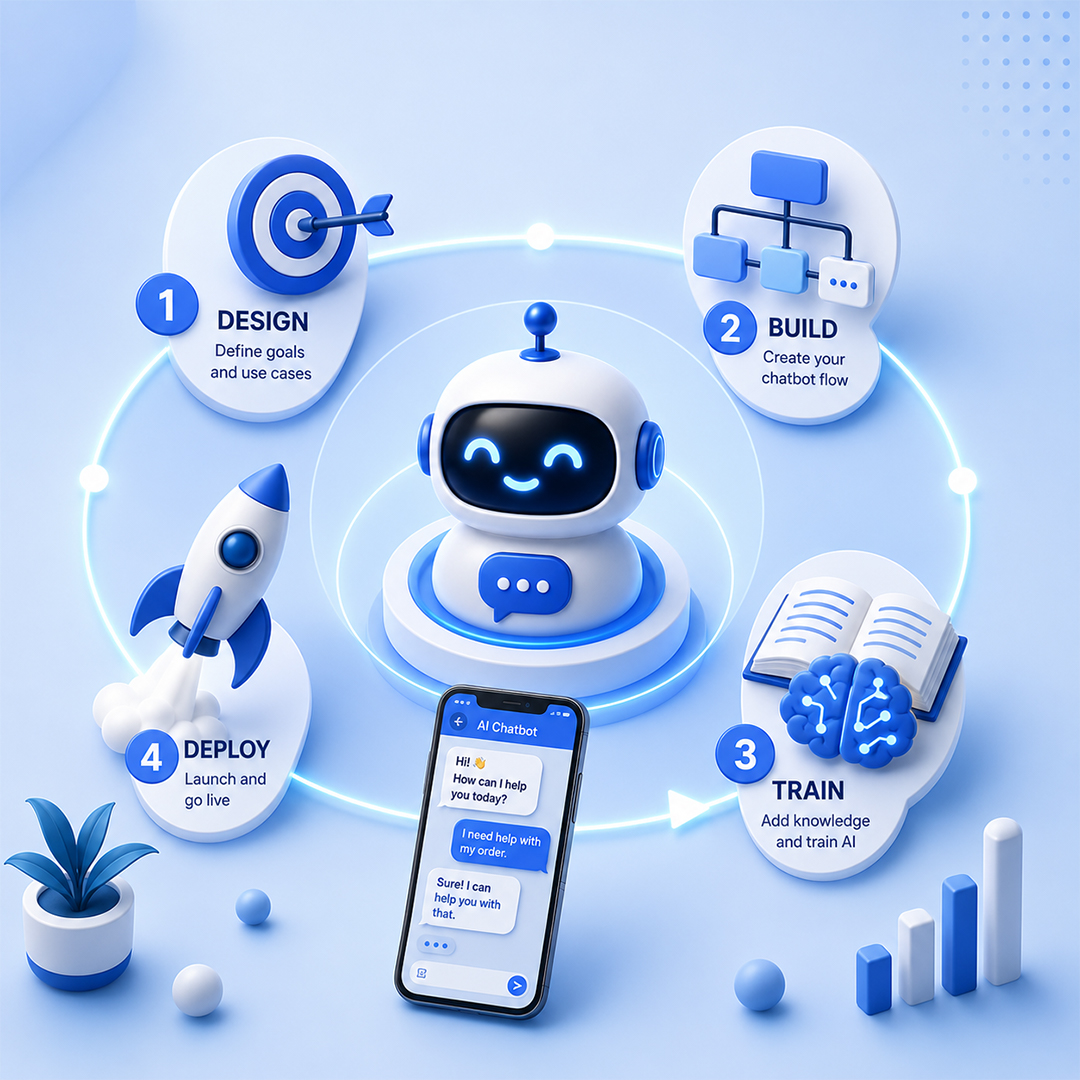
Modern AI platforms have made chatbot development far more accessible. No-code and low-code tools allow businesses to launch customer-facing chatbots, internal assistants, lead qualification bots, and support agents without writing code.
Introduction
Many business owners assume building an AI chatbot requires a software development team, advanced technical expertise, and a significant budget.
That assumption was largely true a few years ago. Today, however, modern AI platforms have made chatbot development far more accessible. No-code and low-code tools allow businesses to launch customer-facing chatbots, internal assistants, lead qualification bots, and support agents without writing code.
Whether you're a startup founder, customer support leader, operations manager, or small business owner, learning how to build an AI chatbot has become much easier than most people realize.
This guide walks through the complete process — from planning and platform selection to launch and optimization — without requiring technical experience.
What is an AI chatbot?
Conversational assistance that reduces manual work
An AI chatbot is a software application that uses artificial intelligence to understand questions, generate responses, retrieve information, and assist users through conversational interactions. Unlike traditional rule-based chatbots that follow predefined scripts, AI chatbots can understand natural language, respond dynamically, and handle a wider variety of requests.
Modern AI chatbots can answer questions, provide product information, qualify leads, schedule appointments, assist employees, and support customers across websites, messaging platforms, and business applications. Their primary goal is to provide useful, conversational assistance while reducing manual work for teams.
Can you build an AI chatbot without a development team?
Yes — for most common use cases
Modern no-code chatbot platforms provide visual interfaces that allow users to upload content, connect knowledge sources, configure responses, and deploy chatbots with minimal technical knowledge. For many common use cases — such as FAQs, lead generation, appointment booking, and customer support — these tools are often sufficient.
However, technical expertise may still be useful when organizations need advanced integrations, custom workflows, complex security requirements, or large-scale deployments.
For small and medium-sized businesses, a no-code chatbot can often be launched in days or weeks rather than months, making AI adoption significantly more accessible than traditional software development.
How AI chatbots work
At a high level, a simple five-step process
1. User submits a question
A visitor asks a question through a website, chat widget, or messaging platform.
2. Chatbot interprets intent
The AI analyzes the request and determines what information the user needs.
3. Information is retrieved
The chatbot searches its knowledge sources, FAQs, documents, or connected systems.
4. Response is generated
The AI produces a relevant answer.
5. Conversation continues
The chatbot responds to follow-up questions and provides additional assistance.
For example, a customer may ask, “What are your pricing plans?” The chatbot retrieves pricing information and provides an answer instantly without requiring human involvement.
The 8-step process for building an AI chatbot
From business goal to continuous optimization
Step 1: Define the Business Goal
Objective: Identify what success looks like.
Key Actions
- Define the primary use case
- Establish measurable goals
- Identify expected outcomes
Common Mistake: Building a chatbot without a clear purpose.
Expected Outcome: A focused project with measurable business value.
Step 2: Identify Target Users
Objective: Understand who will interact with the chatbot.
Key Actions
- Define audience segments
- Identify common questions
- Analyze user needs
Common Mistake: Designing for everyone at once.
Expected Outcome: More relevant conversations and better user experiences.
Step 3: Choose a Chatbot Platform
Objective: Select technology that matches your requirements.
Key Actions
- Evaluate no-code tools
- Consider integrations
- Review scalability
Common Mistake: Choosing a platform based only on features.
Expected Outcome: A platform aligned with business goals and resources.
Step 4: Gather Knowledge Sources
Objective: Build the chatbot's knowledge foundation.
Key Actions
- Collect FAQs
- Organize product information
- Upload support documentation
Common Mistake: Using outdated or incomplete content.
Expected Outcome: More accurate and useful responses.
Step 5: Design Conversation Flows
Objective: Create logical user experiences.
Key Actions
- Define common interactions
- Create escalation paths
- Map key user journeys
Common Mistake: Making conversations overly complex.
Expected Outcome: Clear and intuitive interactions.
Step 6: Configure AI Responses
Objective: Train the chatbot to provide useful answers.
Key Actions
- Configure response behavior
- Define tone and style
- Establish response boundaries
Common Mistake: Assuming AI requires no guidance.
Expected Outcome: Consistent and reliable responses.
Step 7: Test With Real Users
Objective: Identify weaknesses before launch.
Key Actions
- Run pilot tests
- Collect feedback
- Analyze failed interactions
Common Mistake: Launching without testing.
Expected Outcome: Higher accuracy and improved user satisfaction.
Step 8: Launch and Optimize
Objective: Continuously improve performance.
Key Actions
- Monitor conversations
- Review analytics
- Update knowledge sources
Common Mistake: Treating launch as the finish line.
Expected Outcome: Long-term performance improvement.
Choosing the right AI chatbot platform
Three options depending on your requirements
No-Code Chatbot Builders
Advantages
- Fast deployment
- Minimal technical skills required
- Lower upfront costs
Limitations
- Limited customization
- Fewer advanced integrations
Ideal for small businesses and first-time chatbot projects.
Low-Code Platforms
Advantages
- Greater flexibility
- More advanced workflows
- Better integration capabilities
Limitations
- Learning curve
- Some technical support may be required
Suitable for growing businesses.
Custom Development
Advantages
- Maximum flexibility
- Complete control
- Enterprise-grade capabilities
Limitations
- Higher costs
- Longer implementation timelines
Best for organizations with unique requirements.
Common business chatbot use cases
Five ways businesses put chatbots to work
Customer Support
Provides instant answers to common support questions, reducing ticket volume and response times.
Lead Qualification
Collects prospect information, asks qualifying questions, and routes leads to sales teams.
Appointment Booking
Schedules meetings, consultations, and service appointments automatically.
Internal Knowledge Assistant
Helps employees quickly access company information, policies, and documentation.
Ecommerce Assistance
Supports product discovery, order tracking, and purchasing decisions.
What information should your chatbot know?
The quality of a chatbot depends heavily on the quality of its knowledge sources
Common sources include:
- Frequently asked questions
- Product information
- Company policies
- Knowledge base articles
- Internal documentation
- Customer support materials
Organizations should review and update content regularly to maintain accuracy and relevance.
Common chatbot mistakes
Businesses often encounter avoidable problems such as:
- Launching without clear goals
- Providing poor training content
- Ignoring user testing
- Creating overly complicated conversations
- Failing to monitor performance
- Not offering human escalation options
The best chatbots start simple and improve continuously based on real-world usage.
How much does it cost to build an AI chatbot?
Three typical pricing tiers
DIY No-Code Chatbots
$20–$300 per month
Most no-code platforms cost this range, depending on usage and features.
Small Business Chatbots
$1,000–$10,000
Implementation projects typically range here, depending on customization and setup requirements.
Advanced Business Chatbots
$10,000–$50,000+
More sophisticated deployments with integrations, custom workflows, and enterprise requirements.
Starting with a small implementation often provides the best balance between cost and learning.
AI chatbot launch checklist
Fifteen items to verify before going live
- Business objective defined
- Target audience identified
- Use cases documented
- Platform selected
- FAQ content collected
- Knowledge base prepared
- Product information reviewed
- Conversation flows created
- Escalation process defined
- AI responses configured
- Security settings reviewed
- Internal testing completed
- User testing completed
- Analytics enabled
- Optimization plan established
When to upgrade from a chatbot to an AI agent
Chatbots primarily answer questions. AI agents go further by taking action.
Chatbot
A chatbot explains return policies.
AI Agent
An AI agent processes the return request.
Chatbot
A chatbot provides appointment availability.
AI Agent
An AI agent books the appointment.
Chatbot
A chatbot explains account status.
AI Agent
An AI agent updates account information.
Businesses should consider AI agents when workflows require decision-making, system integrations, and multi-step automation rather than conversation alone.
What to expect in 2026 and beyond
Several trends shaping the future of conversational AI
Smarter natural language understanding
Chatbots will interpret nuanced, context-rich questions more accurately.
Growth of Agentic AI
More conversational tools will evolve toward taking action, not just answering.
Multimodal chatbots using text, voice, and images
Interactions will expand beyond text into richer formats.
More capable voice assistants
Voice-based conversational AI will continue to mature.
Increased business process automation
Chatbots will connect more deeply into operational workflows.
Chatbots will increasingly evolve from information providers into intelligent business assistants.
Frequently asked questions
Common questions about building AI chatbots
How do I build an AI chatbot?
Start by defining a business goal, selecting a chatbot platform, gathering knowledge sources, designing conversations, testing with users, and continuously optimizing performance after launch.
Can I build one without coding?
Yes. Most modern chatbot platforms provide no-code interfaces that allow businesses to build and deploy chatbots without software development expertise.
How much does it cost?
Costs range from a few dollars per month for basic no-code tools to tens of thousands of dollars for advanced business deployments.
What platform should I use?
The best platform depends on your goals, budget, integration requirements, and expected user volume. Many businesses begin with no-code solutions.
How long does implementation take?
Simple chatbots can often be launched within days, while more advanced implementations may take several weeks.
What information does a chatbot need?
Chatbots typically require FAQs, product information, policies, support documentation, and other knowledge sources relevant to user needs.
What is the difference between a chatbot and an AI agent?
A chatbot primarily answers questions and provides information. An AI agent can perform tasks, interact with systems, and execute workflows.
Can small businesses benefit from AI chatbots?
Absolutely. Small businesses often use chatbots to improve customer service, capture leads, automate routine tasks, and reduce operational workload.
Conclusion
AI chatbots are more accessible than ever before.
Modern no-code platforms allow businesses to launch useful conversational experiences without building an internal development team. The most successful chatbot projects start with clear business goals, focus on solving specific problems, and improve over time through testing and optimization.
Technology matters, but understanding user needs and delivering value matters even more. For organizations beginning their AI journey, a chatbot can be one of the fastest and most practical ways to improve customer experiences, increase efficiency, and introduce AI into everyday operations.
Ready to build your AI chatbot?
As organizations look to improve customer support, lead generation, and operational efficiency, AI chatbots provide an accessible starting point for AI adoption. Kambaa helps businesses design, build, deploy, and optimize AI chatbots tailored to customer service, sales, knowledge management, and business automation needs.